


手机用户
IOS(iPhone,iPad,iTouch):
无忧府APP->下载配置文件->OpenVPN->手工配置
安卓用户:
手工配置->openvpn->strongswan(iKev2)->sstp
How Android to use Trojan with 5UF club?
1.下载
APP1:Clash for Android
https://dl.clashforandroid.org/releases/latest/
以下是备用下载地址:
cfa-2.5.12-premium-universal-release.apk
APP2:v2rayNG
另一个 APP v2rayNG 的使用方法见下面的链接:
https://www.5ufclub.com/news/vpn/id/11149/
2.导入5UF 的你的专用订阅地址
Get the subscription address from our website as below and click copy.

3.使用
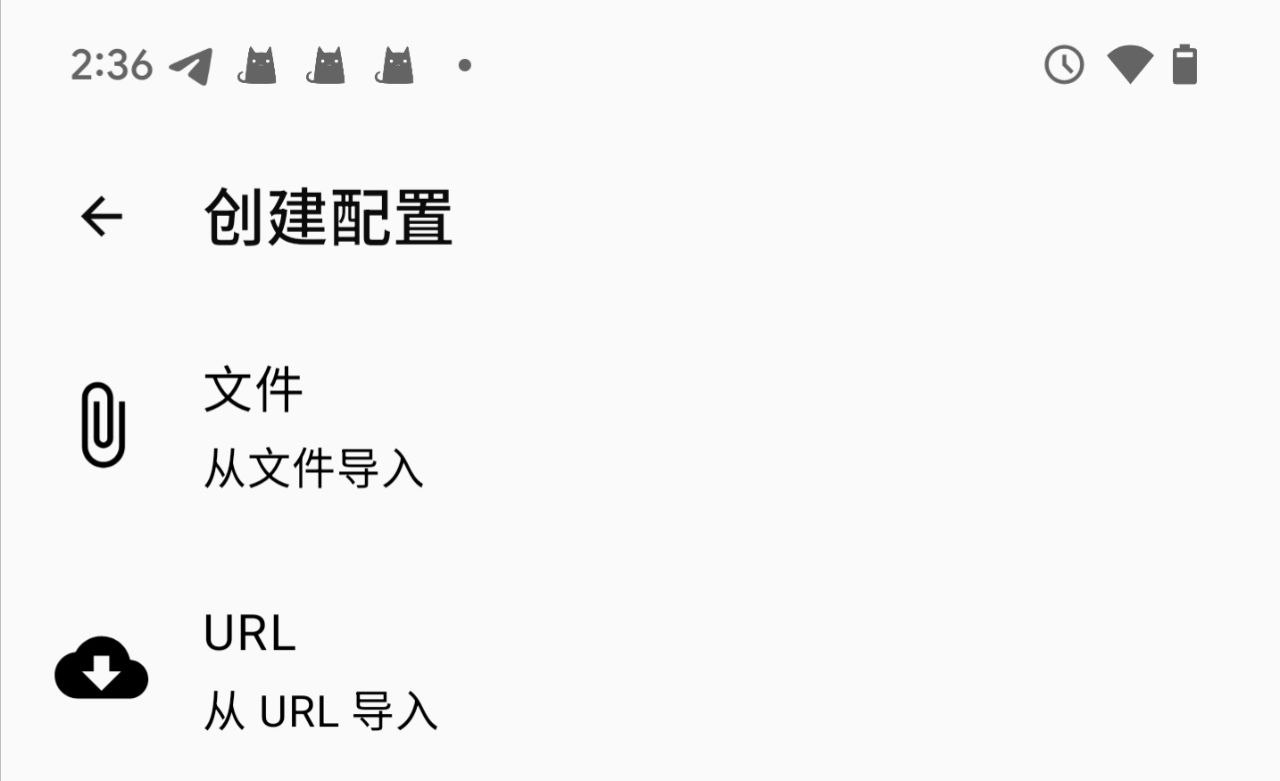
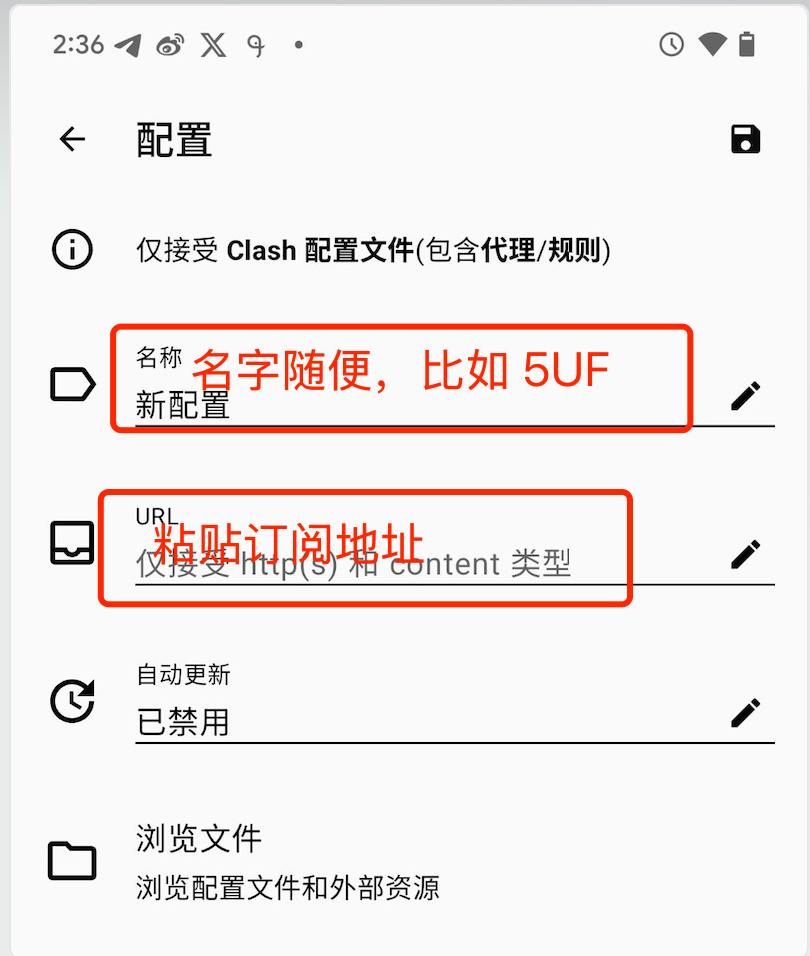
打开 Clash 的“配置“->“+”->"URL(从 URL 导入)"->“URL 粘贴上面复制到的地址”。
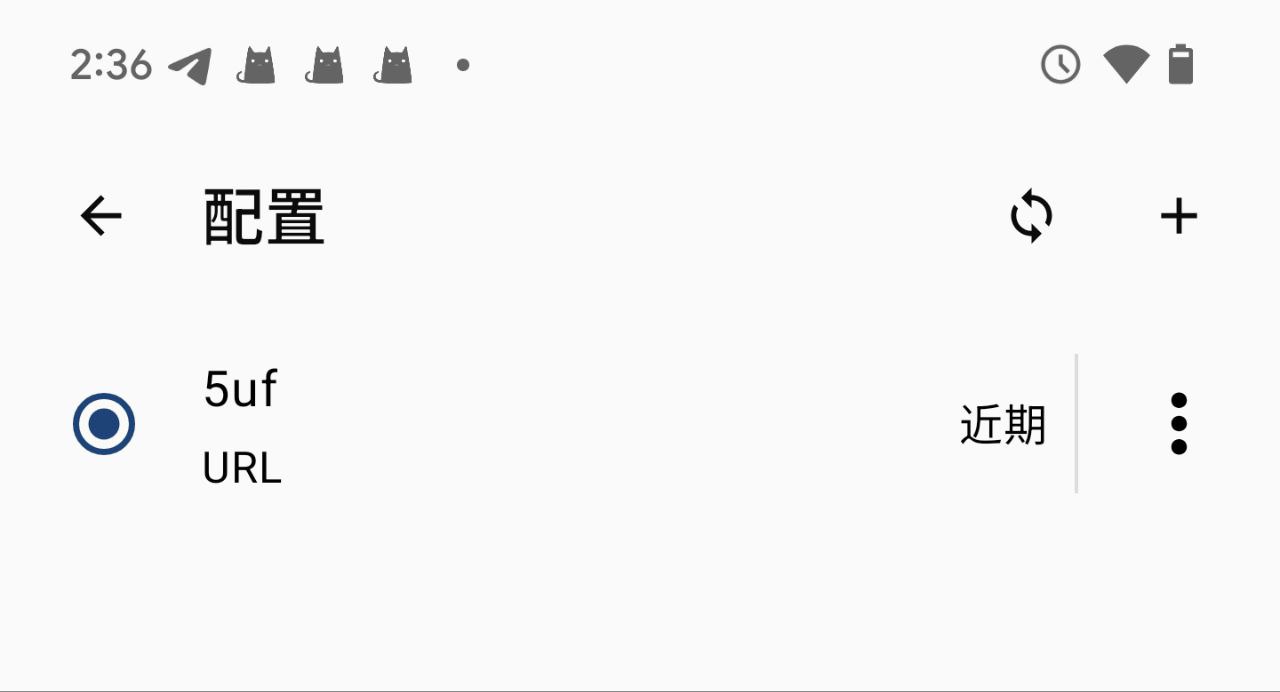
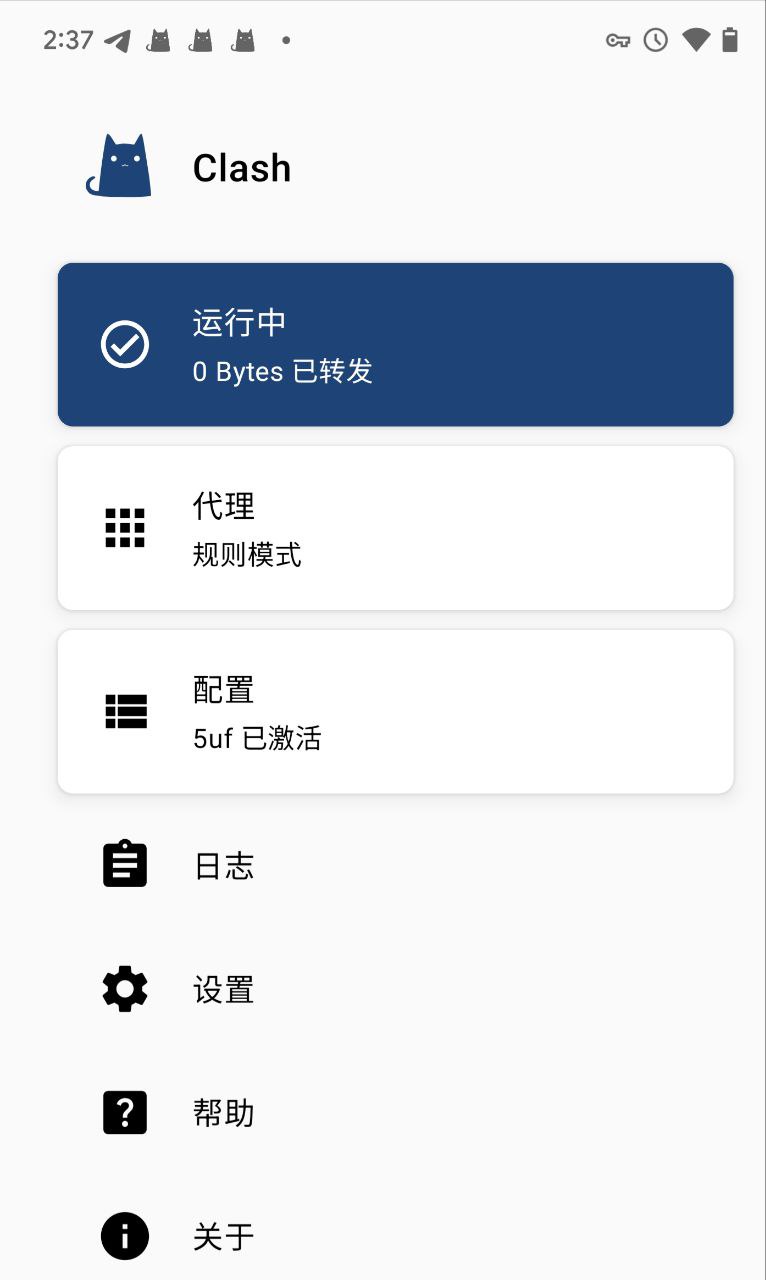
返回主界面,如下图,点击“已停止”开始你的服务。
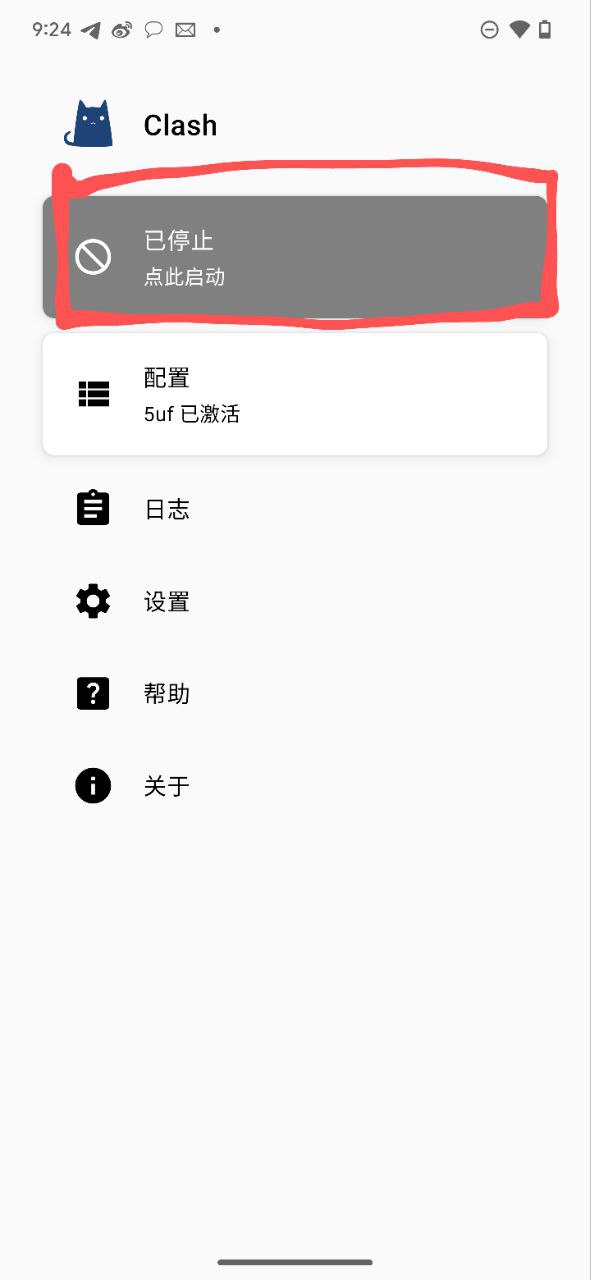
状态变成了“运行中”
打开网址如: ip111.cn,看一下是否 IP 有变化。
