手机用户
IOS(iPhone,iPad,iTouch):
无忧府APP->下载配置文件->OpenVPN->手工配置
安卓用户:
手工配置->openvpn->strongswan(iKev2)->sstp
How to confirm which Linux file is suitable for you
Step 1: Identify Your Linux Distribution and System Architecture
-
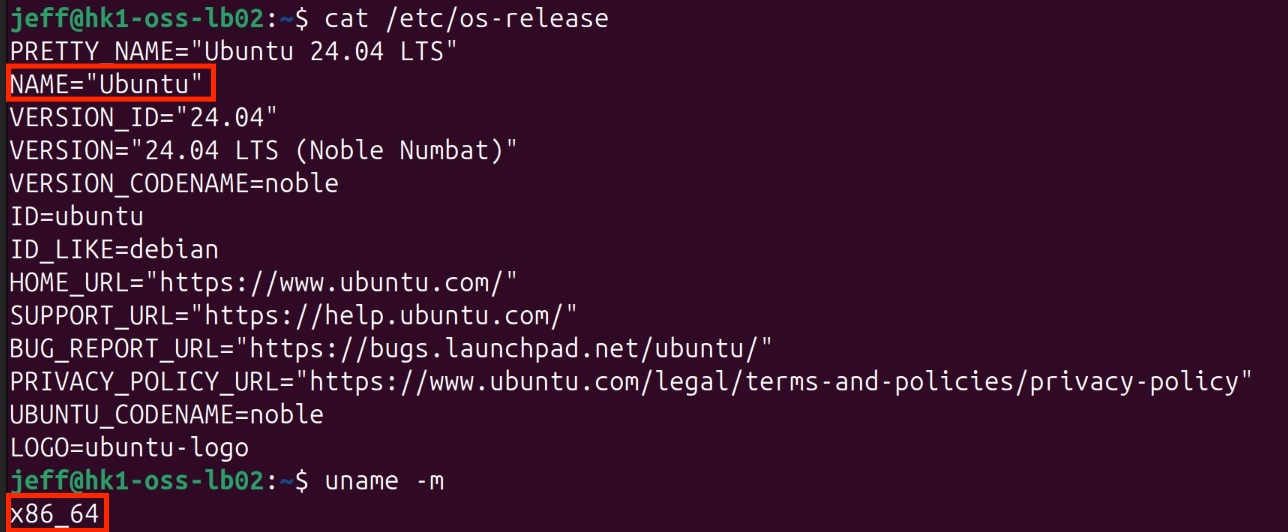
Determine Your Linux Distribution
Open the terminal and execute:
This displays information about your Linux distribution.
-
Check Your System Architecture
Run:
-
Output x86_64: your system uses a 64-bit Intel/AMD processor — download linux-amd64 packages.
-
Output aarch64: your system uses a 64-bit ARM processor — download linux-arm64 packages.
Step 2: Access the Download Page
Visit https://www.5ufclub.com/news/vpn/id/11168/
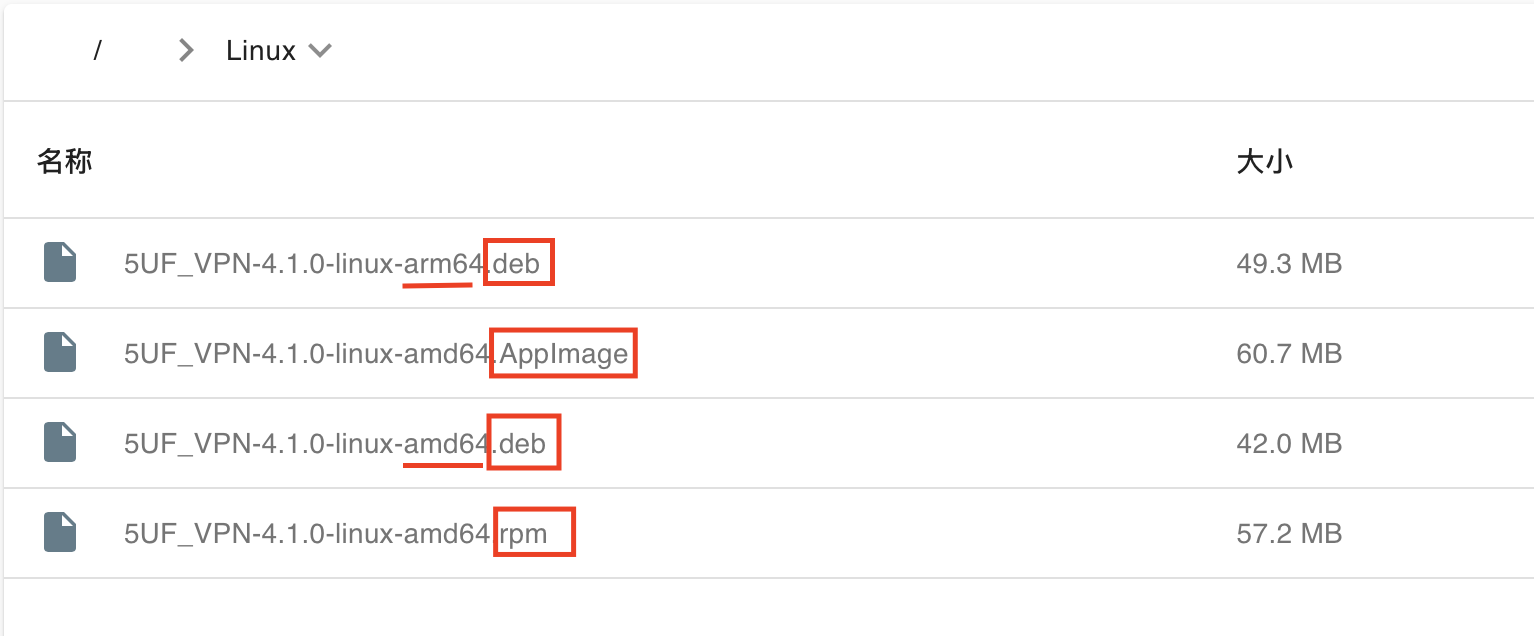
Step 3: Select and Download the Appropriate Linux Package
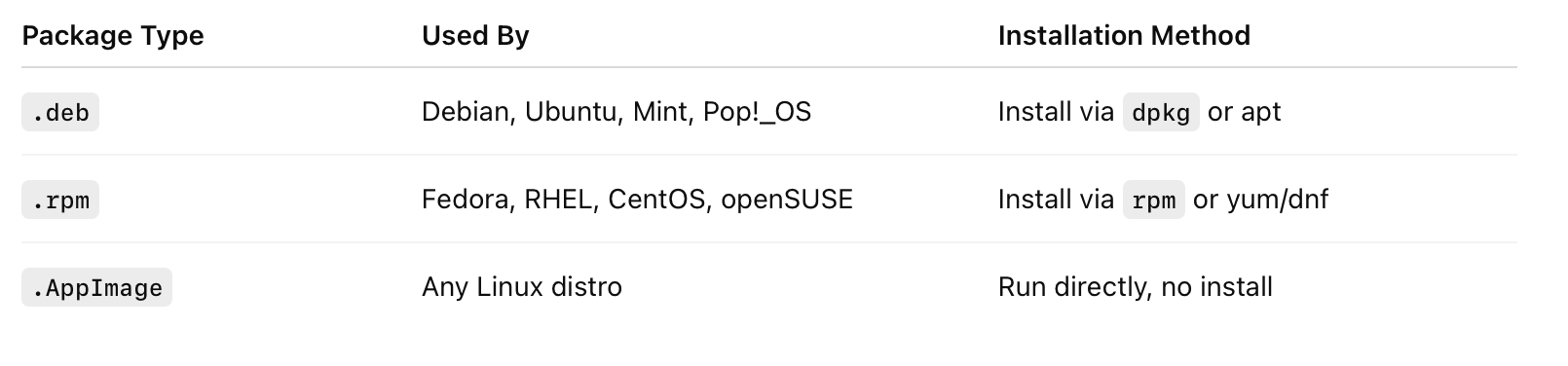
On the website, choose Linux as your platform. Review the available package formats — .deb, .rpm, .appimage — and select the one compatible with your Linux distribution and preference. Then, download the package matching your system architecture (amd64 or arm64).