Dear 5UF club Users,
Recently, some users have reported an error message after successful connection:
“Abnormal DNS resolution, IPv6 disabled.”
After investigation, our technical team has confirmed that the issue is caused by a recent Windows update. This update lowered the DNS priority for dial-up interfaces, which affects public DNS services such as Google DNS. This issue has been discussed in several international technical communities.
If you are experiencing the following issues:
• Message saying “Abnormal DNS resolution, IPv6 disabled”
• Inability to access websites like Google
• DNS resolution failures
Please follow the steps below to resolve:
How to Fix:
1. After connecting successfully to the Wuyoufu VPN client, go to:
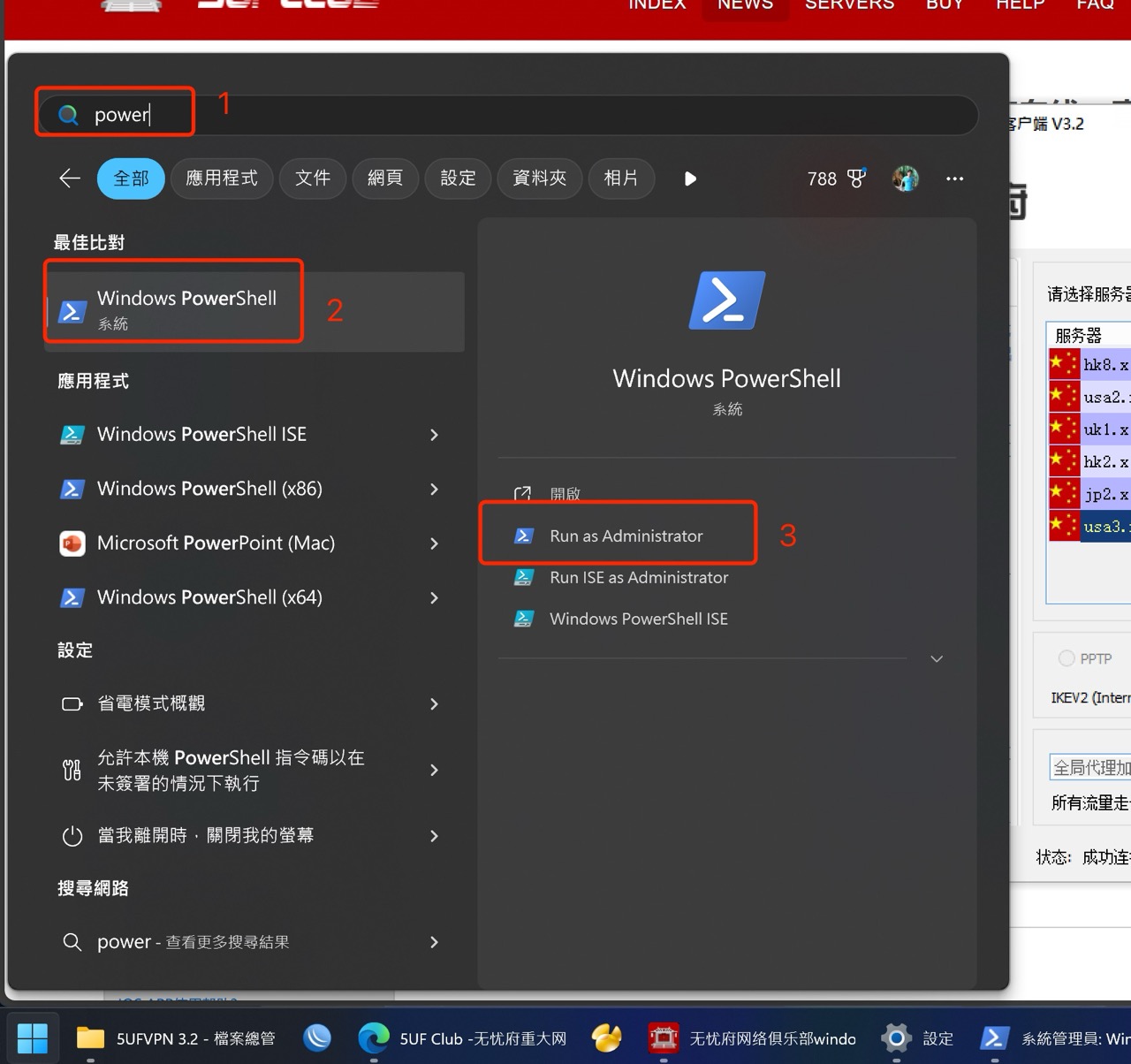
Start → Search for PowerShell → Right-click and choose “Run as Administrator”
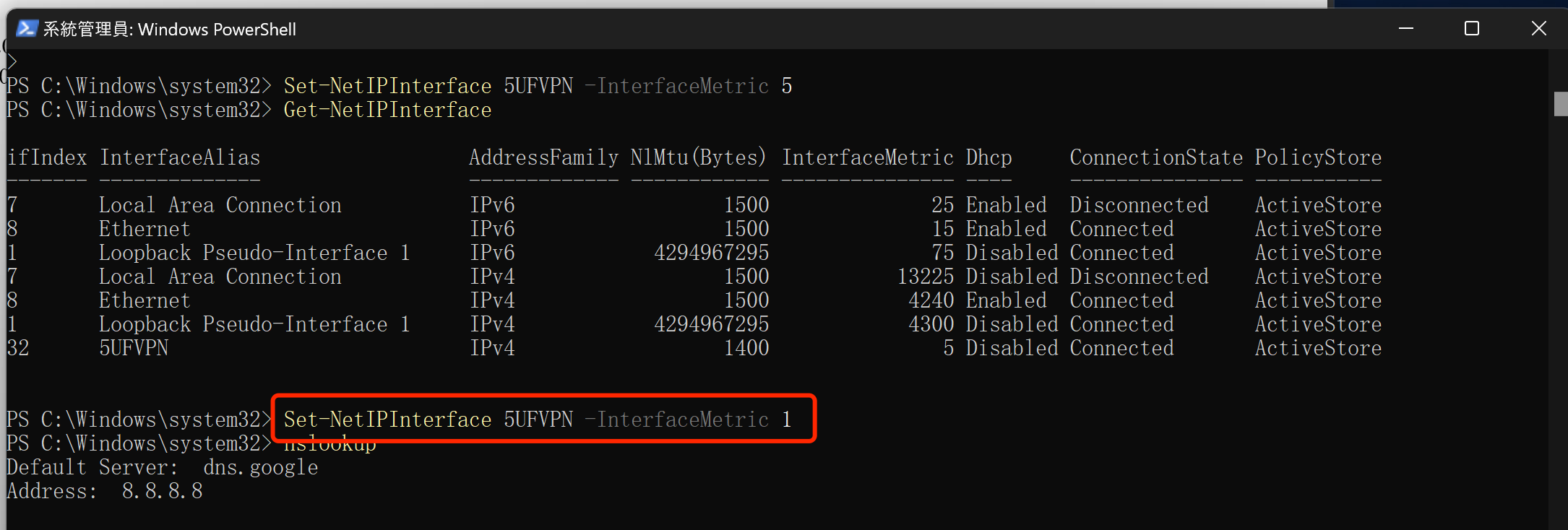
2. Then enter the following command and press Enter:
Set-NetIPInterface 5UFVPN -InterfaceMetric 1
3.This will restore DNS priority and resolve the issue.
	(See image for reference)


	5UF club Technical Team


	April 9, 2025